

Device code phishing: The cyberattack that doesn't need a fake link

Jack Fisher
Threat Detection Engineer
Published: 08 April 2026
No fake website. No dodgy link. Device code phishing turns a legitimate Microsoft feature into an open door, and most users never see it coming. Here’s what you need to know, and the controls that close it down.
In cybersecurity operations we’re often taught to look for “red flags”: dodgy URLs, spelling mistakes, or websites that don’t look quite right. But what happens when the link is legitimate, the website is officially Microsoft’s, and the process feels completely normal?
This is the challenge posed by Device Code Phishing. An insidious, increasingly common attack that turns a helpful feature into a “digital master key” for hackers.
But to understand the attack, you first need to understand the tool it exploits: Device Code Flow.
Device Code Flow was designed to make authentication easier
Device Code Flow is a legitimate authentication method designed for devices that are difficult to type on.
Think of a Smart TV, a printer, or a meeting room console. These devices don’t have a full keyboard or a web browser to let you type in a long password and complete an MFA prompt.
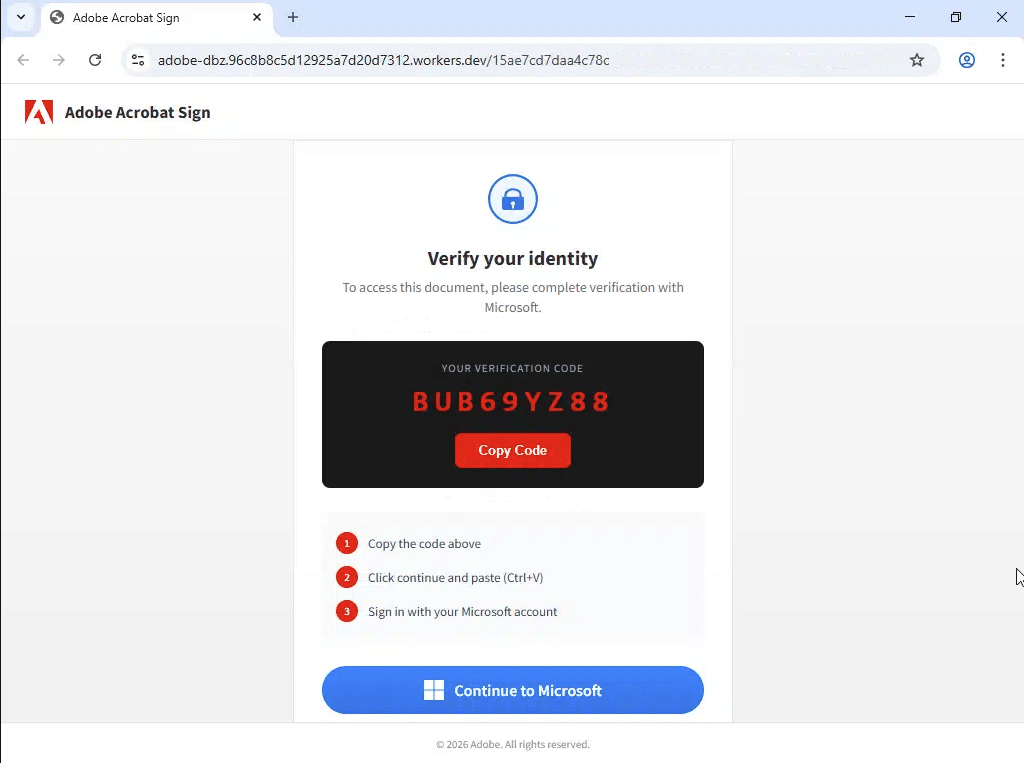
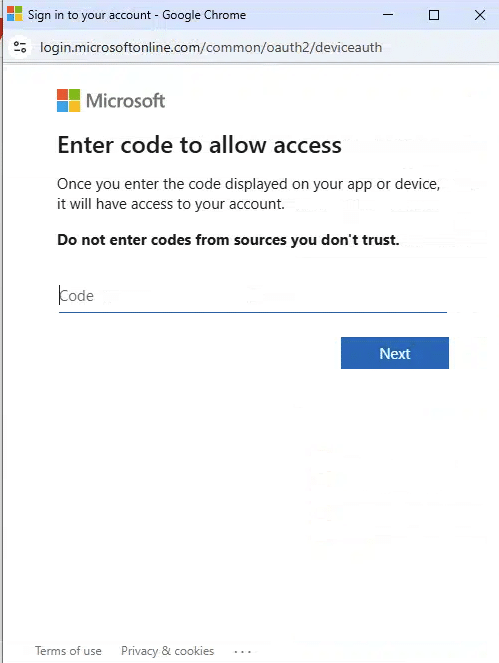
Instead, they show you a short, alphanumeric code (e.g., GTS-K9L) and ask you to visit a legitimate Microsoft URL on your phone or laptop to enter that code and “link” the device to your account.
From a user experience perspective, it’s a great feature, making life a lot easier for the user at a point of potential frustration.
Convenience for users has also created opportunity for hackers
The challenge here is that hackers also love Device Code Flow.
This is because it allows them to bypass your password and Multi-Factor Authentication (MFA) entirely.
Here’s how the “scam” works:

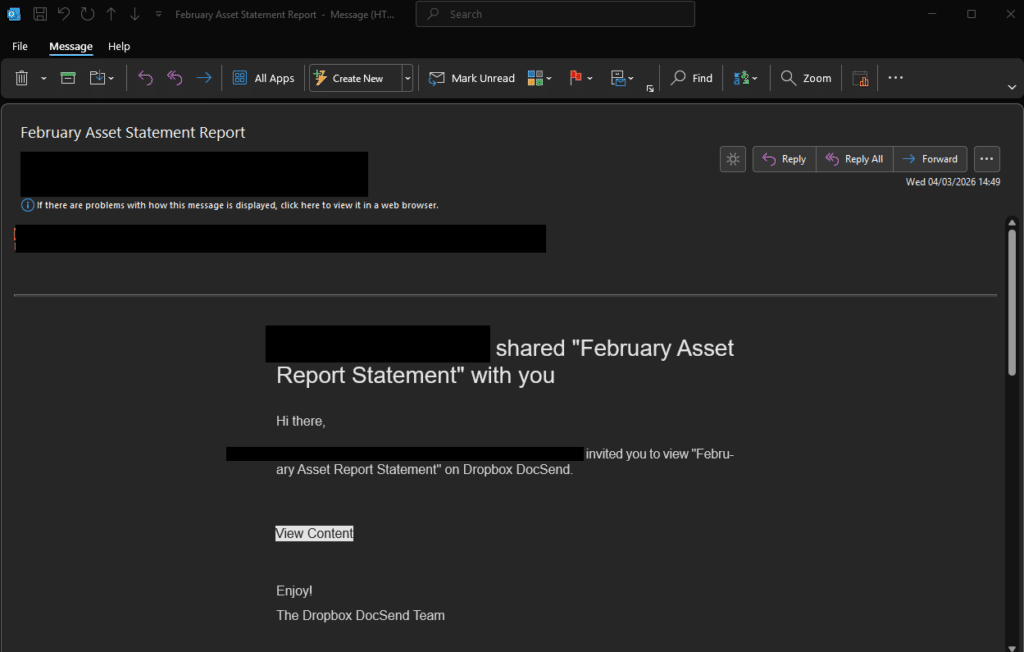
The bait
You receive an email or message (often disguised as an urgent document or a meeting invite) that asks you to “verify your account” or “access a file” by entering a code at a real Microsoft address: microsoft.com/devicelogin.

The trigger
Behind the scenes, the hacker has already requested a code from Microsoft. They aren’t trying to log into a TV; they’re trying to log into a malicious app they control.
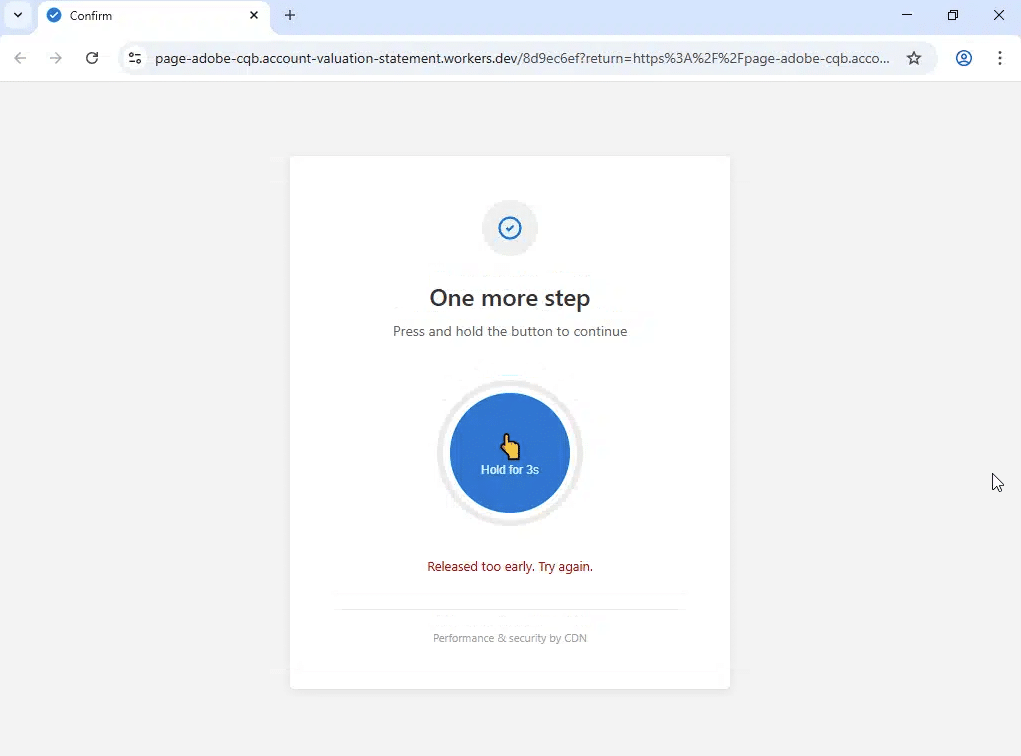

The trap
When you enter that code into the real Microsoft site, you aren’t logging yourself in. You are essentially telling Microsoft: “Yes, I authorise the device currently holding this code to access my account.”
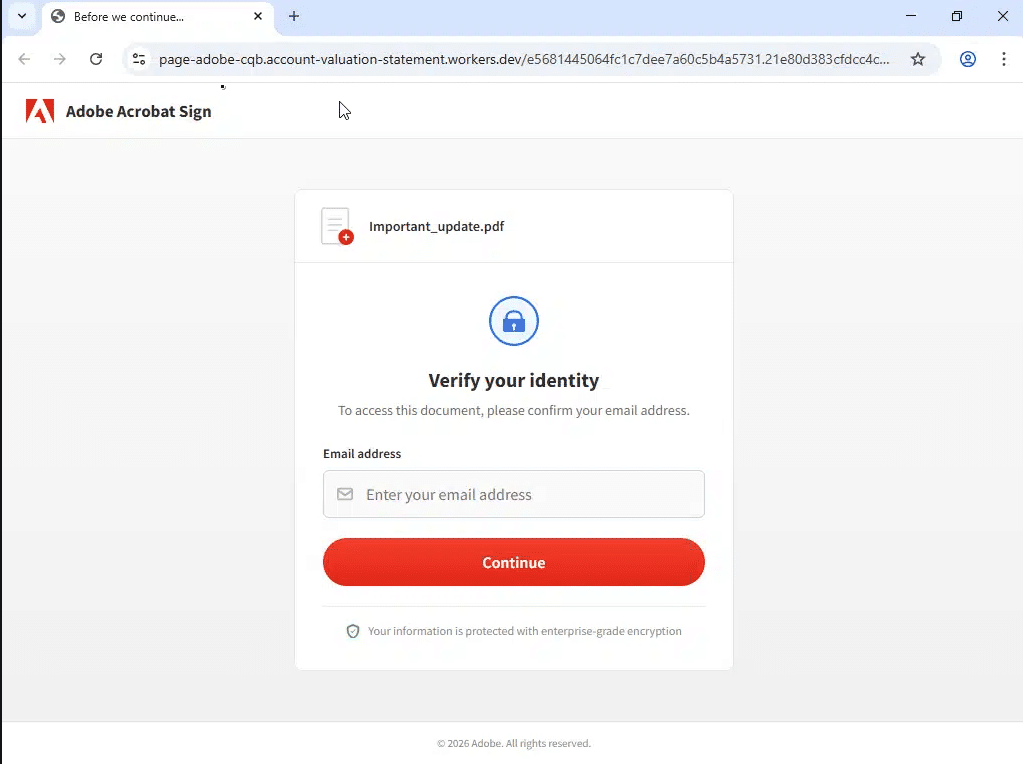

The payoff
The hacker instantly receives an Access Token. This is a digital key that stays valid even if you change your password. They are now “in,” and they can read your emails or monitor your files without ever needing to ask for your password again.
Mitigation strategies and recommendations
Protection requires a layered approach: blocking Device Code authentication at the policy level, tightening session controls, building user awareness, and maintaining continuous monitoring.
Blocking Device Code authentication with Conditional Access
The most effective technical control is to explicitly restrict the use of the Device Code Flow. Since this protocol is rarely needed for standard office work, it should be disabled by default.
- Implement a Conditional Access (CA) policy that targets all users and explicitly blocks the “Device Code Flow” authentication protocol.
- It is vital to identify and exclude specific “break-glass” accounts or legitimate use cases (such as dedicated meeting room systems or IoT devices) that require this flow to function.
- By blocking this at the gateway, even if a user is tricked into entering a code, Microsoft will deny the request before an access token can be issued to the attacker.
Apply a Sign-in Frequency policy in Conditional Access
By default, session tokens have a lifespan of 90 days unless revoked. Conditional Access gives you the ability to reduce that window significantly.
- Implement a Sign-in Frequency (SIF) policy within your Conditional Access settings. This defines the period before a user is prompted to re-authenticate.
- By shortening the sign-in frequency, you ensure that even if a session token is stolen, it will expire much sooner, forcing a fresh, interactive authentication challenge that the attacker cannot bypass without the user’s direct involvement.
Targeted user awareness and training
Technical controls are powerful, but the user remains the first line of defence. Because this attack uses legitimate Microsoft websites, traditional “look for the fake URL” training is insufficient.
- Education should focus on a single golden rule: Never enter a code you did not personally request.
- Encourage staff to report suspicious prompts immediately. In this incident, the user noticed a mismatch in the Authenticator app; training should empower users to stop and report the moment a login sequence feels “off,” even if the website looks official.
- Conduct internal phishing simulations that specifically mimic the Device Code Flow to familiarise staff with what a real attack looks like in a safe environment.
Proactive monitoring with Kusto Query Language (KQL)
Detection is just as important as prevention. By using KQL within Microsoft Sentinel or the Entra ID log search, the security team can pinpoint malicious attempts before they escalate.
- Protocol Filtering: You can specifically hunt for this activity by auditing sign-in logs where the authentication protocol is identified as deviceCode.
Our MXDR clients are already benefiting from bespoke detection content that enables visibility into prevalent threats.
The bottom line
Device Code Phishing is a good reminder that attackers don’t always try to trick you with a fake website. Sometimes they hand you the real one and let you do the work for them.
The good news is that it is preventable. A well-configured Conditional Access policy will stop the vast majority of attempts before they have any effect. Pair that with user awareness training built around the right golden rule, tighter session controls, and active monitoring of your sign-in logs, and you close down the attack surface considerably.
If you are unsure whether your Conditional Access policies are configured to block Device Code Flow, or you want to understand what your sign-in logs are telling you, that is a good conversation to have sooner rather than later.
As ever, reach out to Kocho’s Security Operations team if you’d like to find out how we can help.


Free Guide
The Ultimate Guide to Microsoft Security
The most comprehensive guide to Microsoft Security. Over 50 pages. Microsoft licensing and pricing simplified.
Discover technologies that:
- Detect and disrupt advanced attacks at machine-speed
- Tap into the world’s largest threat intelligence network
- Protect identities, devices, and data with ease


Great emails start here
Sign up for free resources and exclusive invites
Subscribe to the Kocho mailing list if you want:
- Demos of the latest Microsoft tech
- Invites to exclusive events and webinars
- Resources that make your job easier